Why Your DVLA MOT Check Matters
Every vehicle on UK roads must undergo a regular MOT test to ensure it’s safe, roadworthy, and environmentally compliant. But did you know you can instantly check any car’s MOT status and history through the official DVLA MOT check service?
Whether you’re buying a used car, verifying your current MOT expiry, or just ensuring your vehicle’s compliance, the DVLA MOT check is your most reliable tool. It provides a transparent record of your vehicle’s test results, advisories, and mileage — all in just a few clicks.
What Is the DVLA MOT Check?
The DVLA MOT check is a free online service provided by the UK’s Driver and Vehicle Licensing Agency (DVLA).
It allows anyone to look up a vehicle’s MOT test history and current MOT status using the vehicle’s registration number.
This government tool is directly linked to the DVSA (Driver and Vehicle Standards Agency) database, meaning all results are official and updated in real time. You don’t need to log in or register — just enter the vehicle’s plate number, and you’ll get the details instantly.
What You Can Find in a DVLA MOT Check
A DVLA MOT check provides complete transparency about a vehicle’s condition.
Here’s what you can see:
-
✅ MOT Status: Whether the vehicle currently has a valid MOT certificate or not.
-
🗓️ Expiry Date: The exact date when the MOT will expire.
-
🧾 Test History: Dates of all previous MOT tests.
-
⚠️ Failures and Advisories: Details about failed items and advisory notes.
-
🚗 Mileage Records: Odometer readings at each test (helpful to detect clocking).
-
🔍 Location of Test: MOT test centre ID and region.
These insights make it easy to judge a car’s reliability, especially when buying second-hand vehicles.
How to Use the DVLA MOT Check Service Step-by-Step
Using the DVLA MOT check tool is simple and only takes a minute.
Step 1: Visit the Official Government Website
Go to www.gov.uk/check-mot-history.
This is the official government portal — avoid third-party websites that may charge unnecessary fees.
Step 2: Enter the Vehicle Registration Number
Type the registration plate number (for example, AB12 CDE) in the search box and click “Continue”.
Step 3: View MOT Status and Expiry Date
You’ll immediately see whether the vehicle’s MOT is valid or expired, along with the MOT expiry date.
Step 4: Check MOT History
Click “View MOT history” to access detailed information about past test results, advisories, and failures.
Step 5: Save or Screenshot the Results
You can save the information for your records, especially if you’re buying or selling a vehicle.
Why You Should Regularly Check Your MOT Status
Checking your MOT status regularly isn’t just about compliance — it’s about safety and peace of mind.
Here are some key reasons why:
-
🚦 Avoid Penalties: Driving without a valid MOT can result in fines up to £1,000.
-
🔧 Prevent Major Repairs: Early MOT checks help you fix issues before they escalate.
-
🧍♂️ Protect Yourself When Buying Used Cars: Knowing a vehicle’s MOT history helps you avoid scams or faulty cars.
-
📈 Boost Vehicle Value: A clean MOT record can improve resale value.
DVLA MOT Check vs Other Online Tools
While several third-party websites offer MOT check services, the DVLA MOT check is the most accurate and trusted.
Here’s why:
| Feature | DVLA MOT Check | Third-Party Websites |
|---|---|---|
| Official Government Data | ✅ Yes | ❌ Sometimes outdated |
| Cost | 💷 Free | 💷 May charge fees |
| Real-time Updates | ✅ Yes | ❌ Limited |
| Additional Data | MOT, tax, mileage | Some add-ons, but less accurate |
If you’re ever unsure, always go for the official DVLA service. It’s free, legal, and 100% accurate.
Common Questions About the DVLA MOT Check
1. Can I check MOT history for any car?
Yes. The DVLA service is public, allowing anyone to check MOT history by entering a registration number.
2. Can I see previous failures or advisories?
Absolutely. You’ll see a full list of previous test results, including failed components and advisories.
3. Can I check if a car’s MOT has expired?
Yes — the service displays whether the MOT is currently valid, along with the expiry date.
4. What if my MOT has expired?
You can only drive your car to a pre-booked MOT test appointment. Otherwise, it’s illegal to drive without a valid MOT certificate.
5. Is it safe to use DVLA MOT check websites?
Yes — as long as you use the official GOV.UK domain.
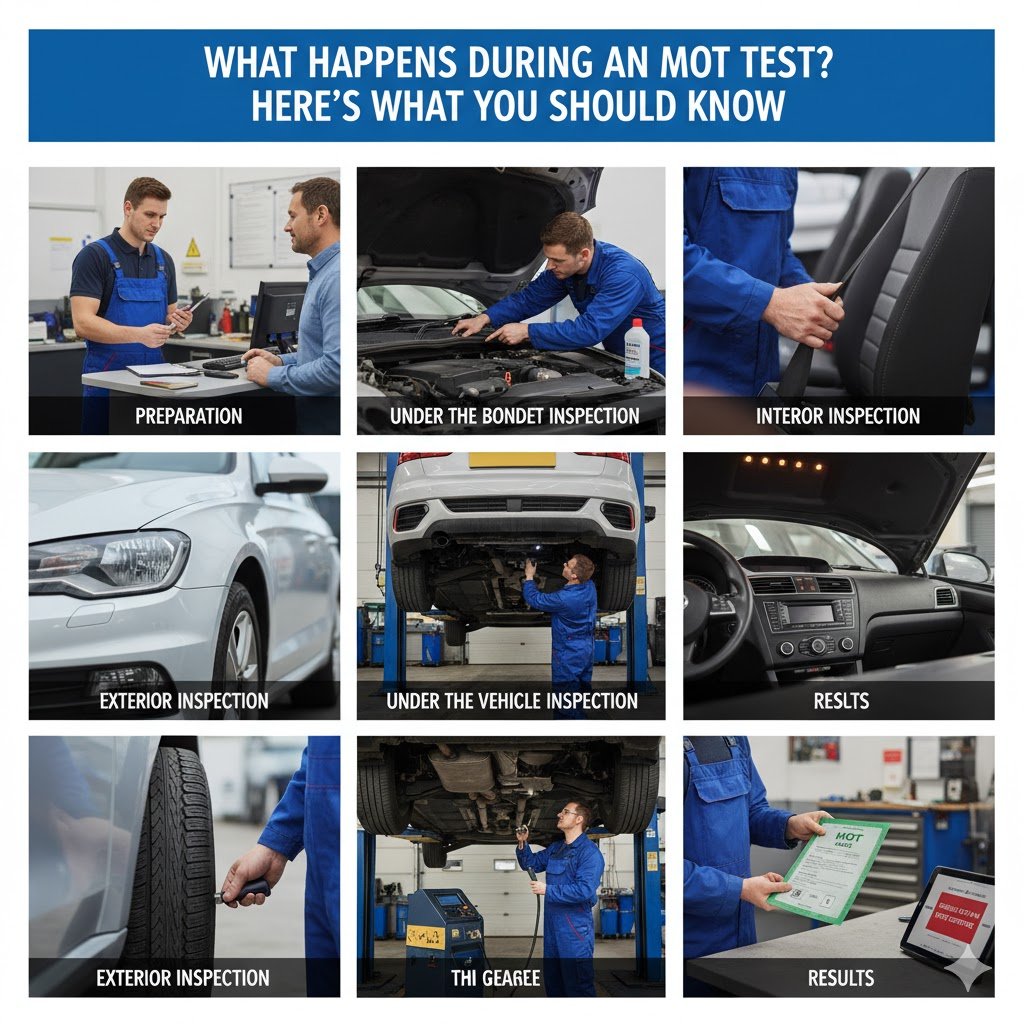
Tips to Pass Your Next MOT Test Easily
If your MOT is due soon, here’s how to prepare and avoid failure:
-
Check Lights: Make sure all headlights, brake lights, and indicators are working.
-
Inspect Tyres: Tread depth should be at least 1.6mm.
-
Top Up Fluids: Oil, brake fluid, and windshield washer should be at optimal levels.
-
Clean Your Car: Dirty number plates can cause automatic failure.
-
Test Wipers and Horn: These must be functional.
Simple checks like these can drastically improve your pass rate.
Why MOT History Matters When Buying a Used Car
Before buying any used vehicle, always perform a DVLA MOT check.
This step can reveal:
-
🚫 Cars that have failed repeatedly (indicating poor maintenance).
-
📉 Inconsistent mileage (sign of possible tampering).
-
🧾 Frequent advisories (suggest future repair costs).
It’s a quick and free way to protect your investment and ensure the car is truly worth the asking price.
Stay Safe and Stay Legal
The DVLA MOT check is more than just an online tool — it’s your key to transparency, safety, and confidence on the road.
By regularly checking your MOT status and understanding your car’s history, you’ll not only comply with UK laws but also ensure your vehicle remains safe for every journey.
So next time you wonder, “When is my MOT due?” — visit the official DVLA site, check instantly, and drive with peace of mind.